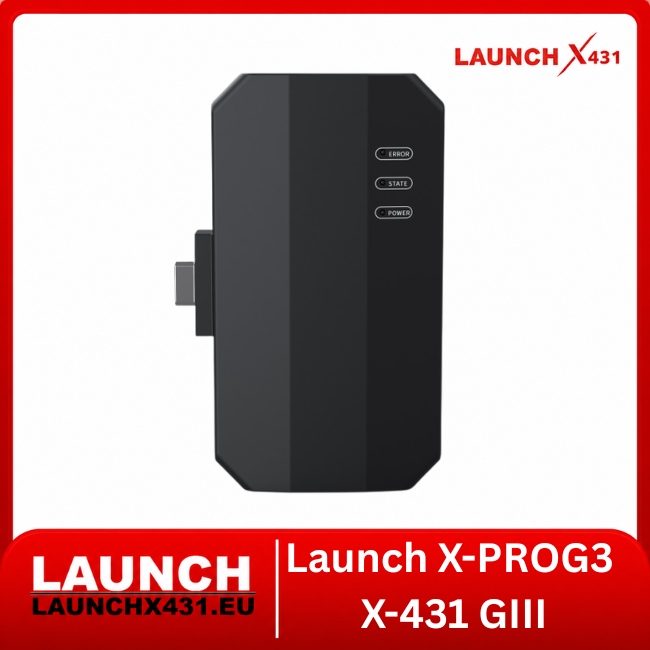
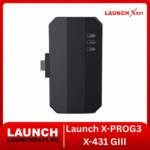



Launch X-PROG3 X-431 GIII PC Adapter – Windows PC Expansion for X-PROG3 ECU/TCU Reading, Writing, Cloning & EEPROM/FLASH Data Processing
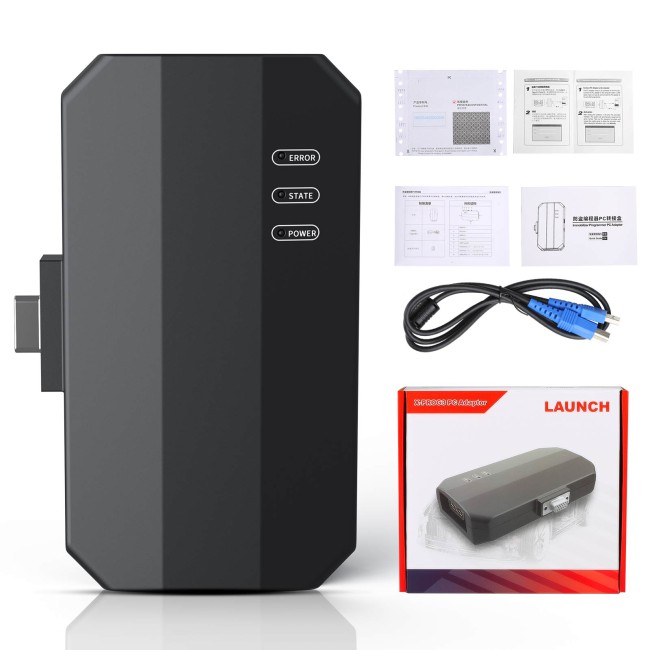
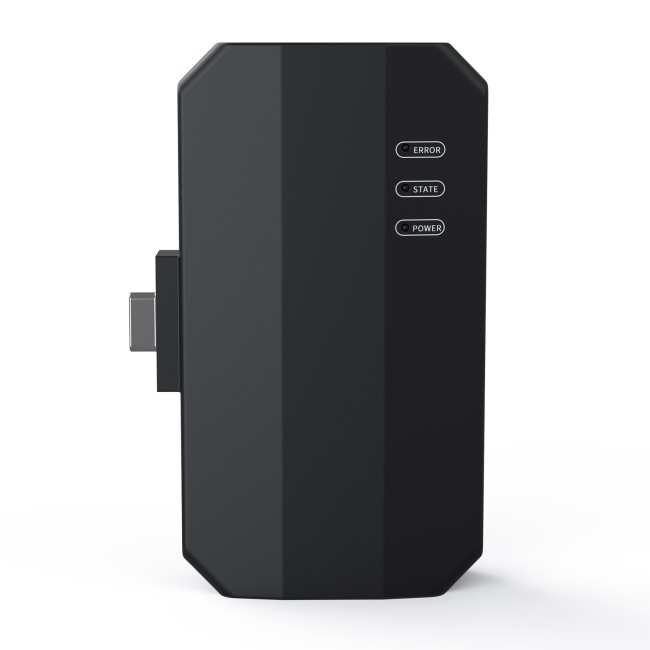
The Launch X-PROG3 / X-431 GIII PC Adapter is a professional expansion interface that allows the X-PROG3 / GIII Programmer to perform supported ECU and TCU programming operations directly through a Windows PC.
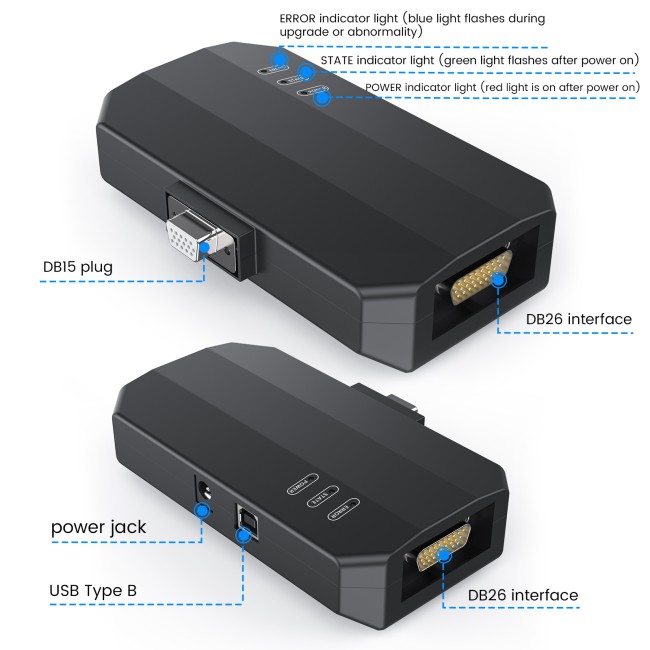
It connects X-PROG3 to dedicated Launch PC software via USB, providing a more convenient desktop workflow for ECU/TCU reading, writing, EEPROM/FLASH operations, backup, restoration, BENCH programming and supported cloning.
Ideal for professional ECU specialists, transmission electronics technicians and workshops performing frequent control-unit replacement and cloning work.
⭐ Key Features
Converts X-PROG3 / GIII into a PC-based programming platform
Windows PC operation
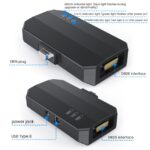
USB communication
ECU & TCU Read / Write
Chip ID reading
EEPROM Read / Write
FLASH Read / Write
Data backup & restoration
Supported ECU / TCU cloning
BENCH-mode programming
Built-in connection diagrams
ECU search by vehicle
Search by ECU type
Search by Bosch number
MED17 / EDC17 data-processing support
Gearbox / TCU programming support
Multi-language PC software
Advertised 3×+ faster communication than corresponding Android workflow
Designed for professional ECU / TCU workshops
⚙️ ECU & TCU Functions
| Read & Backup | Write & Restore | Programming |
|---|---|---|
| ECU Identification | EEPROM Writing* | BENCH Mode* |
| TCU Identification | FLASH Writing* | ECU Cloning* |
| Chip ID Reading | EEPROM Restoration* | TCU Cloning* |
| EEPROM Reading | FLASH Restoration* | Replacement Preparation |
| FLASH Reading | Data Restoration | Data Processing |
| Original Data Backup | Supported Data Transfer | Module Programming* |
*Available functions depend on the exact ECU / TCU and current Launch software coverage.
💻 PC Software Functions
| ECU Search | Data Operations | Workshop Tools |
|---|---|---|
| Brand / Model / Engine | EEPROM Operations | Connection Diagrams |
| ECU Type Search | FLASH Operations | File Saving |
| Bosch Number Search | Data Processing | Backup Management |
| ECU Selection | ECU Data Modification* | File Restoration |
| Chip Identification | Engine Data Validation* | Customer File Storage |
The desktop environment is particularly useful for workshops that regularly manage multiple ECU and TCU files.
🔌 Connection Setup
Windows PC → X-PROG3 PC Adapter → X-PROG3 / GIII → ECU / TCU
For BENCH programming:
PC → PC Adapter → X-PROG3 → BENCH Cable → ECU / TCU
Always follow the connection diagram displayed in the Launch software for the exact control unit.
💾 EEPROM & FLASH Operations
| EEPROM | FLASH | Typical Use |
|---|---|---|
| Read Data | Read Software Data | Original Backup |
| Save Data | Save FLASH | ECU Replacement |
| Write Data* | Write FLASH* | TCU Replacement |
| Restore Backup* | Restore Backup* | Cloning* |
| Vehicle-Specific Data | Calibration / Firmware Data | Recovery Procedures* |
| IMMO / Coding Data* | ECU / TCU Software | Data Transfer* |
*Supported applications only.
Original EEPROM and FLASH data should always be backed up before supported writing, replacement or cloning procedures.
🔄 ECU / TCU Cloning
A typical supported workflow can include:
Identify the original ECU / TCU.
Connect according to the Launch diagram.
Read Chip ID.
Read and save EEPROM.
Read and save FLASH.
Connect the compatible replacement module.
Identify the replacement ECU / TCU.
Write or restore supported original data.
Verify the programming operation.
Complete any required vehicle-side adaptation or coding.
Not every ECU or TCU supports complete cloning.
⚡ Faster PC Workflow
| PC Adapter Workflow | Android Workflow | Advantage |
|---|---|---|
| USB Communication | Tablet-Based | Faster Data Transfer |
| Windows File Management | Android Storage | Easier Backup Handling |
| Bosch Number Search | Vehicle Menu | Faster ECU Selection |
| Advanced File Storage | Tablet-Based Files | Better Organisation |
| Desktop Interface | Mobile Interface | Workshop Convenience |
| Advertised 3×+ Speed* | Standard Workflow | Faster Large Transfers |
*Actual operation time depends on ECU type, memory size and protocol.
🚗 ECU & TCU Applications
| Engine ECU | Transmission / TCU | Data Processing |
|---|---|---|
| Bosch MED17* | Gearbox ECUs* | MED17 Functions* |
| Bosch EDC17* | Transmission Controllers* | EDC17 Functions* |
| VW Applications* | TCU Read / Write* | ECU Data Modification* |
| Audi Applications* | TCU Backup* | Engine Data Validation* |
| Porsche Applications* | TCU Restoration* | Cloning Workflows* |
| Additional ECUs* | Gearbox Cloning* | Replacement Data* |
*Exact support depends on hardware/software version and current Launch coverage.
🔧 Gearbox / TCU Support
The X-PROG3 PC platform also supports selected transmission control units.
| TCU Functions | Data Functions | Additional Hardware |
|---|---|---|
| TCU Identification | Read EEPROM* | Gearbox Adapters* |
| TCU Reading | Read FLASH* | BENCH Cables* |
| TCU Writing* | Backup Data | Main Line / Harness* |
| TCU Replacement* | Restore Data* | Module-Specific Connectors* |
| TCU Cloning* | Transfer Data* | Sold Separately* |
*Depending on TCU family and configuration.
🔑 PC Adapter vs X431 Tablet Workflow
| PC Adapter + X-PROG3 | X-PROG3 + X431 Tablet | Main Focus |
|---|---|---|
| ECU Read / Write | Key Programming* | ECU / TCU vs IMMO |
| TCU Read / Write | Add Key* | Different Workflows |
| EEPROM / FLASH | All Keys Lost* | Tablet Needed for IMMO |
| ECU / TCU Cloning | IMMO Functions* | PC Focused on Modules |
| Data Processing | Transponder Operations* | Different Software |
| BENCH Programming | Anti-Theft Procedures* | Complementary Systems |
The PC Adapter does not replace the X431 tablet for key-programming and IMMO workflows.
⚙️ Technical Specifications
| Product | Functions | Requirements |
|---|---|---|
| Product: X-PROG3 / GIII PC Adapter | ECU Read / Write: Supported* | X-PROG3 / GIII: Required |
| Type: PC Expansion Adapter | TCU Read / Write: Supported* | Platform: Windows PC |
| Communication: USB | Chip ID: Supported | Software Activation: Required |
| BENCH Mode: Supported* | EEPROM: Supported* | Stable Power: Required |
| ECU Cloning: Supported* | FLASH: Supported* | Correct Cables: Required |
| TCU Cloning: Supported* | Backup / Restore: Supported | Standalone: No |
| Connection Diagrams: Supported | ECU Search: Supported | X-PROG3 Included: No |
| Bosch Search: Supported | Data Processing: Supported* | Key Programming via PC: No |
| MED17 / EDC17: Supported* | Multi-Language: Yes | Software Dependent: Yes |
*Supported applications only.
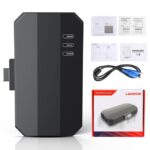
📦 Package Contents
1 × Launch X-PROG3 / X-431 GIII PC Adapter
⚠️ Important Compatibility Information
X-PROG3 / GIII Programmer is required
The PC Adapter is not a standalone ECU programmer
Windows PC and Launch PC software are required
Initial software activation is required
Verify the exact ECU / TCU before programming
Follow the Launch connection diagram exactly
Use the correct BENCH or gearbox cable
Maintain stable power during Read / Write operations
Always save original EEPROM / FLASH backups
Verify replacement-module hardware compatibility before cloning
Never interrupt a write operation
Not every ECU / TCU supports full cloning
PC software does not add key-programming / IMMO functions
Why Choose the Launch X-PROG3 PC Adapter?
The Launch X-PROG3 / X-431 GIII PC Adapter is a practical upgrade for existing X-PROG3 owners who want a faster and more convenient Windows-based environment for professional ECU and TCU work.
With USB communication, Chip ID reading, EEPROM/FLASH operations, BENCH programming, built-in connection diagrams, advanced ECU search and supported cloning workflows, it significantly improves everyday module programming and file-management efficiency.
For workshops focused on ECU replacement, TCU work, cloning and BENCH programming, the PC Adapter provides a strong desktop expansion while keeping the X-PROG3 / GIII as the core programming hardware.